 SwingBy for Mac
Less clock. More flow.
A little company for your focus. A desk mascot for your Mac.
Version 1.3 (build 14) · macOS 15.0 or later · 4.4 MB · signed and notarised by Apple.
Free to use. Pro is a one-time upgrade for your own timer lengths.
On the hour, and not much else
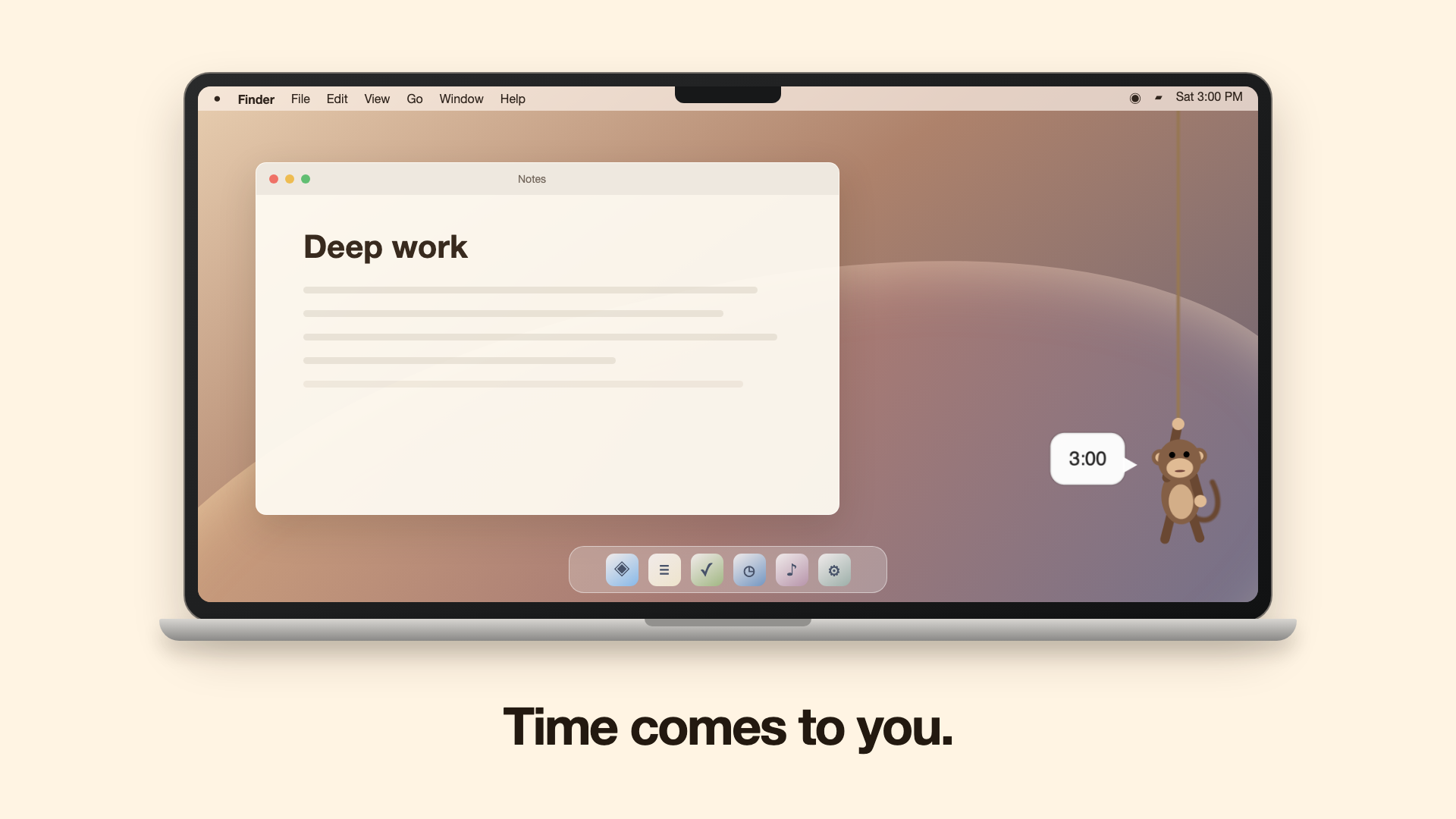
A monkey climbs down a rope at the edge of your screen, tells you the time, and climbs away again. About seven seconds. Then he tucks himself back up at the top, small and out of the way, until he has something else to say.
He knows when to stay put
This is the part that decides whether a mascot is charming on day 30 or unbearable on day 3. He stays up the rope, and posts a silent notification instead, whenever:
You are on a call
Your camera or microphone is in use. He reads the hardware state and never opens either himself.
You are presenting
Zoom, Teams, Keynote, PowerPoint, Webex and friends are frontmost.
You are in fullscreen
If you would rather he waited. Your choice.
You asked for quiet
Mute for fifteen minutes, an hour, this evening or tomorrow. There is a hotkey.
And if you ever wonder why he did not appear, every decision is logged. Open Console.app and
filter on com.nexaitech.swingby.
Reminders, in plain language
Choose Add reminder... from the menu bar, then type 4pm standup, in 25m stretch, or 9:30am weekdays yoga. Saved reminders have clear edit and delete actions. Undo one you just added, or snooze one that just went off.
A Pomodoro you can change your mind about
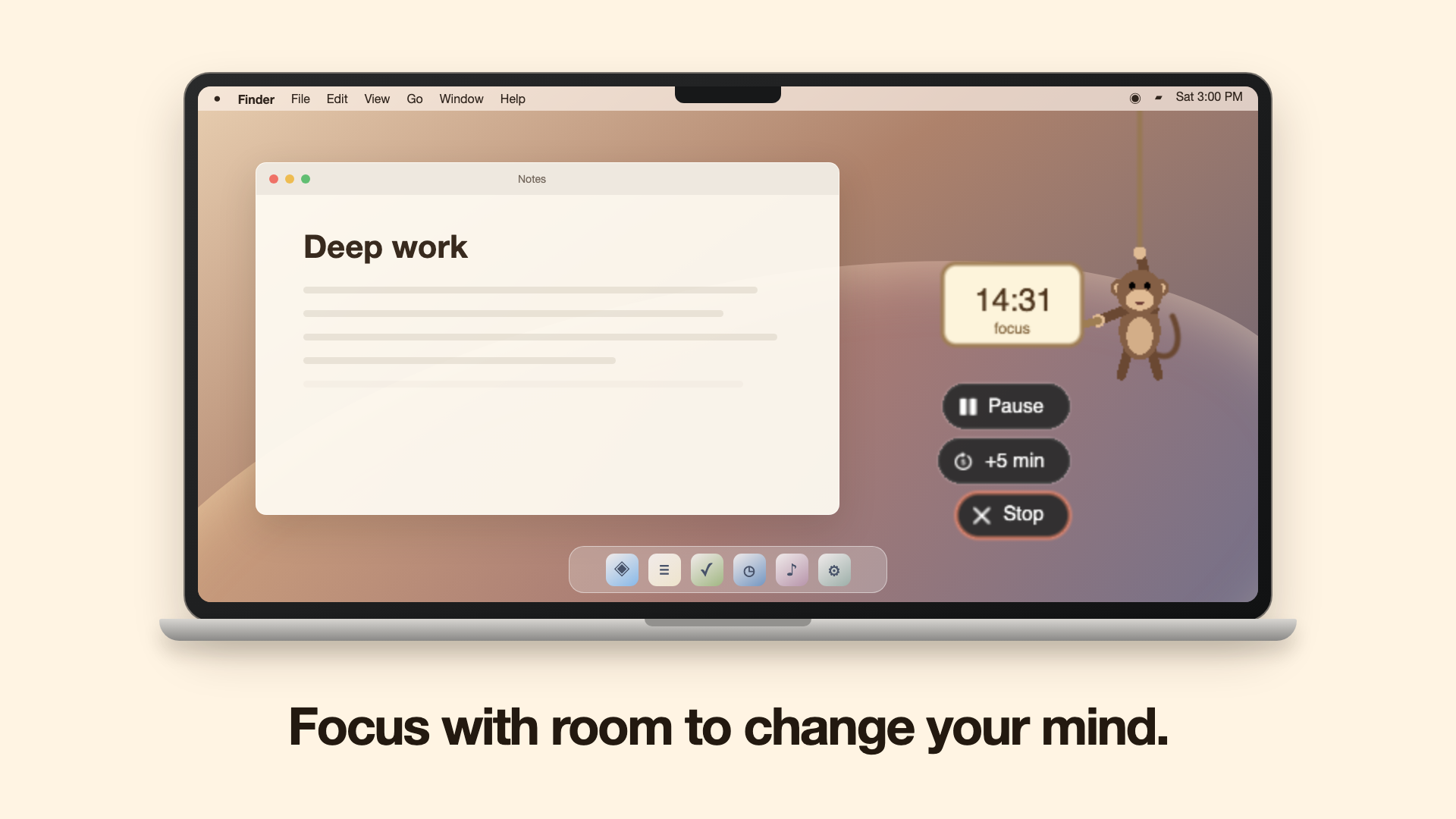
Nothing you start here is a one-way door. Pause it, resume it, add five minutes, stop it, skip the break, end the break early, or take back a session that was counted by mistake. The rope is the progress bar. Finish a session and see the current time, a gentle stretch nudge, and clear controls to continue, take a break or start a new session. Name what you are focusing on and mark it accomplished when it is done. The menu bar keeps the countdown visible while running, then shows Done until you acknowledge it.
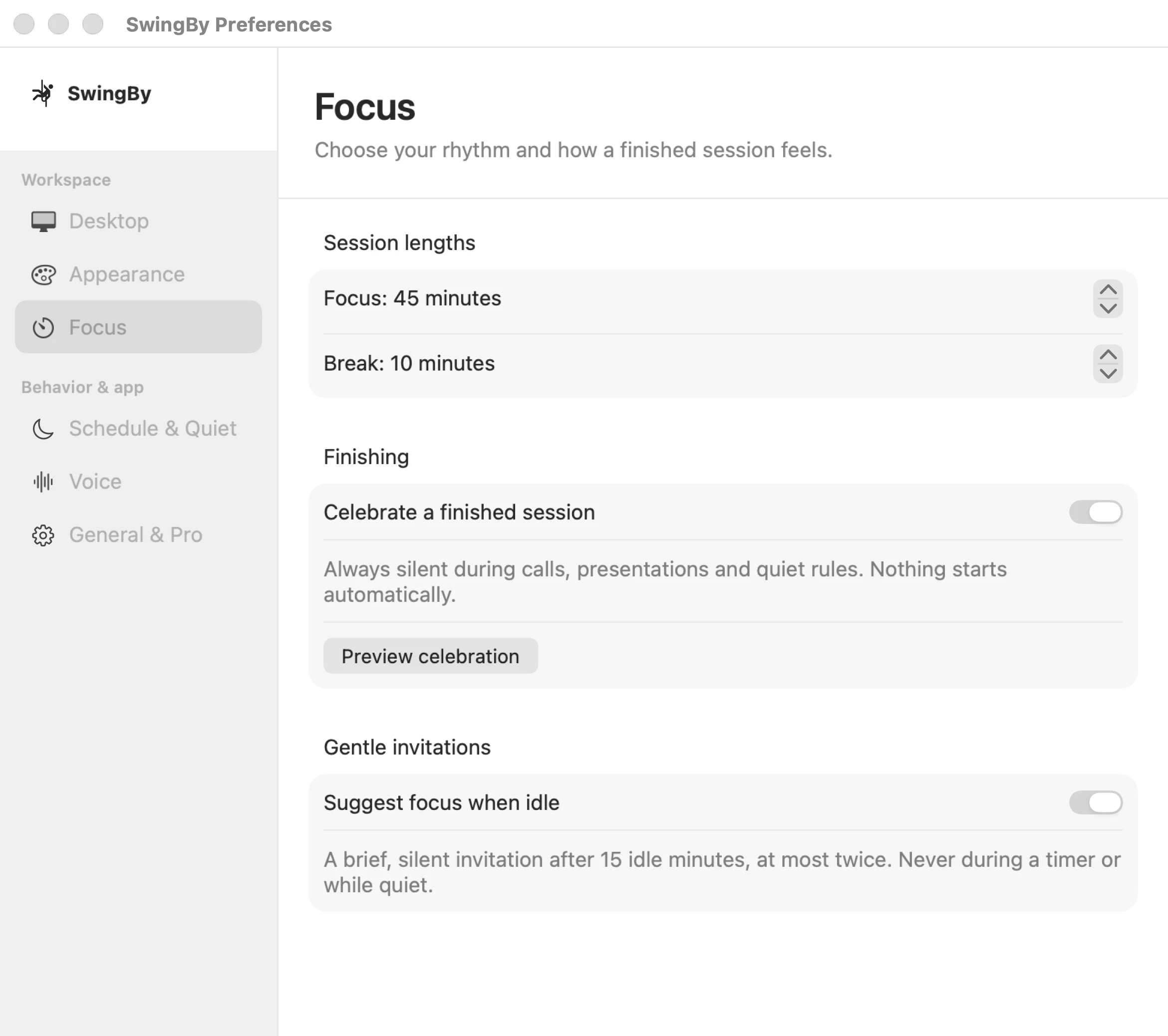
Your companion, out of the way
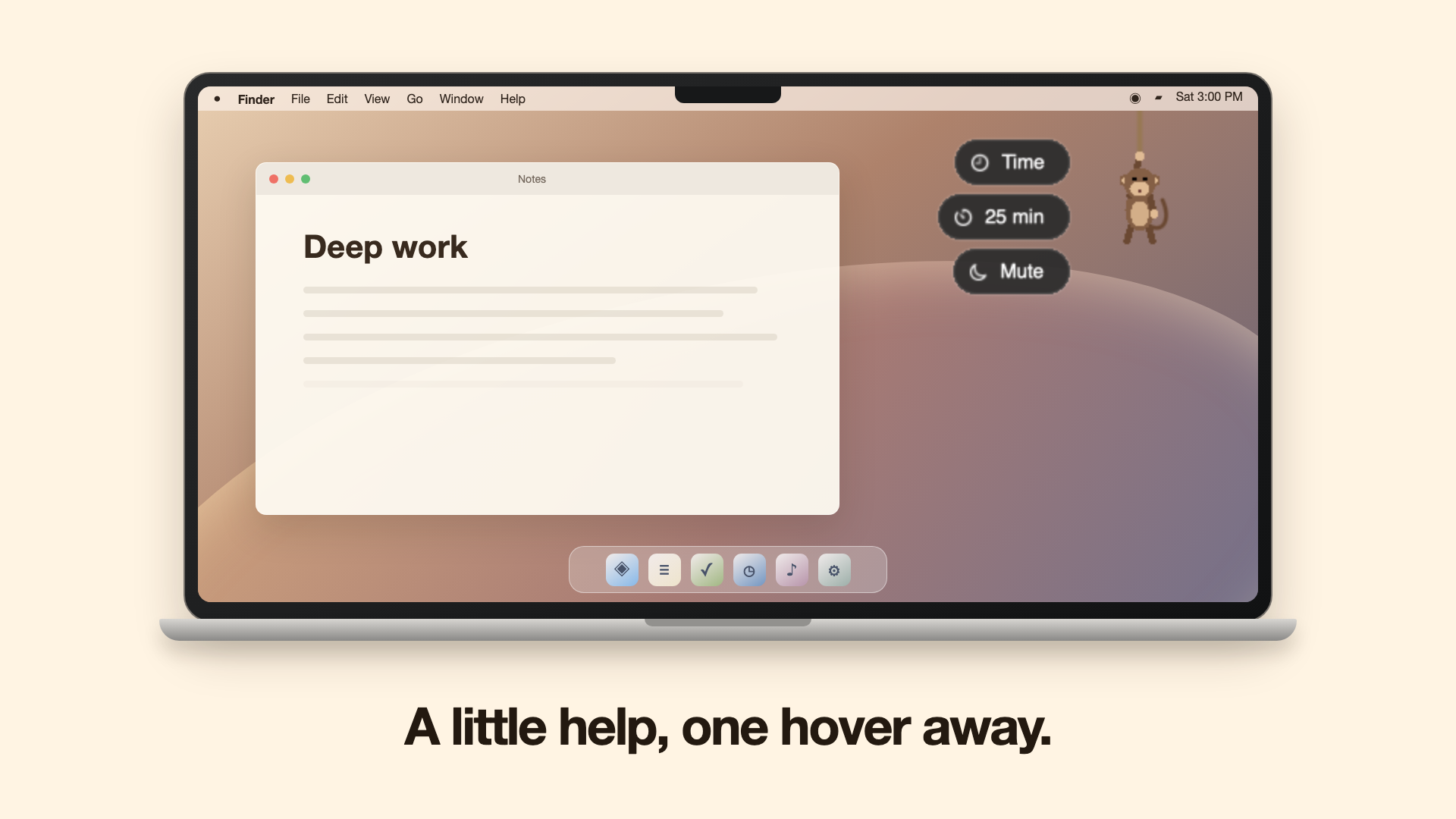
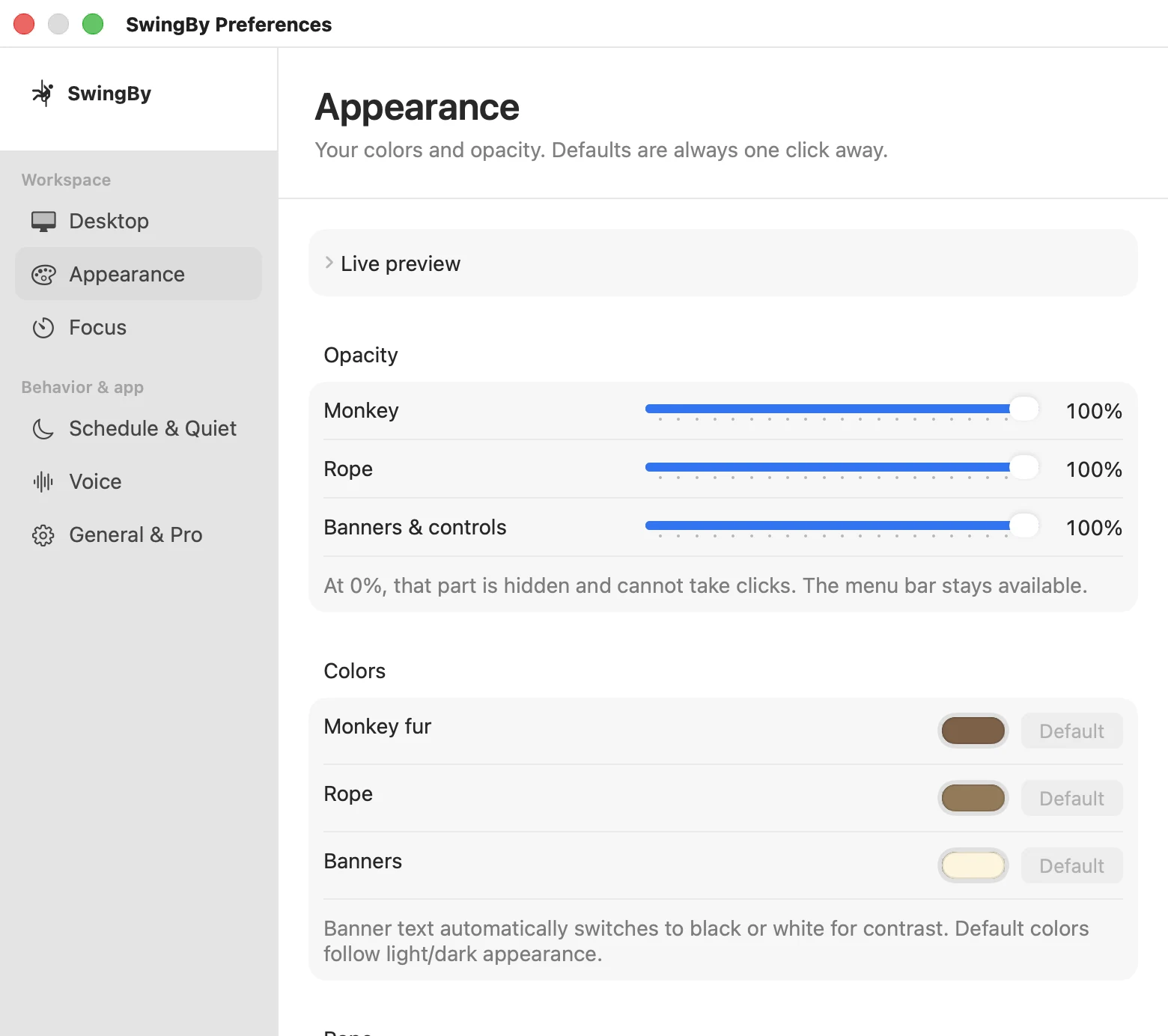
Option-drag the monkey to move it. Keep the usual downward pull for the time. Positions are remembered per display, and empty corner space stays available for notifications.
Need every click to reach the app underneath? Turn on Mascot › Click-through mascot. Customize fur, rope and banner colors, separate opacity and rope thickness in Preferences › Appearance. Hidden parts never take clicks.
Small steps. Clearer next steps.
A few useful tools, not another task manager. Your goals, notes and history stay on your Mac.
A shortcut back to work
Press ⌃⌥Space to start focus, capture a reminder, pause or resume. No menu hunting.
Just five minutes
Choose one small step. Then keep going, mark it done or stop for now. Nothing starts automatically.
Where was I?
Leave an optional next-step note when you pause. Pick up your place when you return; saved focus restores paused.
Three priorities for today
Choose what matters and focus on one thing. A finished timer never checks a task off for you.
A little perspective
Reflect on outcomes and when sessions finished. No scores, streak penalties or guilt.
Room before a meeting
Optional calendar suggestions fit focus before your next busy event. Availability is checked again when you choose Start.


Free to focus. Pro once.
| Feature | Free | Pro · one-time |
|---|---|---|
| Hourly visits, reminders, quiet rules, celebration | Yes | Yes |
| Manual focus lengths | 25 or 5 minutes | 1–90 minutes |
| Next-step notes, Today, reflection, calendar suggestions | Yes | Yes |
| Breaks | 5 minutes | 1–30 minutes |
| Wordmark on the timer board | Shown | Hidden |
One payment, no subscription. The free version never expires. Pricing and direct-purchase availability are shown on the Pro page. Mac App Store purchases use the price Apple displays. No accounts, analytics or sync.
Get SwingBy
Download directly
Open the notarised disk image, drag SwingBy to Applications, then open SwingBy. Look for the climber in your menu bar, not the Dock.
Download the .dmg
SHA‑25691767a660ed351b0a4fe2a0d70051071c7214af093bf03f8bfe7e61cecb7ff85
Or from the Mac App Store
Coming shortly - the first version is with Apple for review. Buying Pro there is a normal in-app purchase.
Questions?